
Inspection Reports
Inspection Reports in PASS Harmonics give you clear visibility into the status of inspections and service plans across your facilities, helping you stay organized, compliant, and proactive.
Using these reports allows you to:
-
Track completed inspections with confidence
Easily see which inspections have been completed within a selected timeframe, so you always know where you stand.
-
Stay ahead of compliance deadlines
Quickly identify upcoming, overdue, or missed inspections before they become compliance issues.
-
Monitor service plan performance
Review inspection and service plan scores to understand how consistently inspections are being completed on time.
-
Identify facilities that need attention
Spot service plans or locations that may require follow-up, corrective action, or additional oversight.
-
Support audits and internal reviews
Maintain clear documentation that shows inspection history, timing, and compliance efforts in one centralized place.
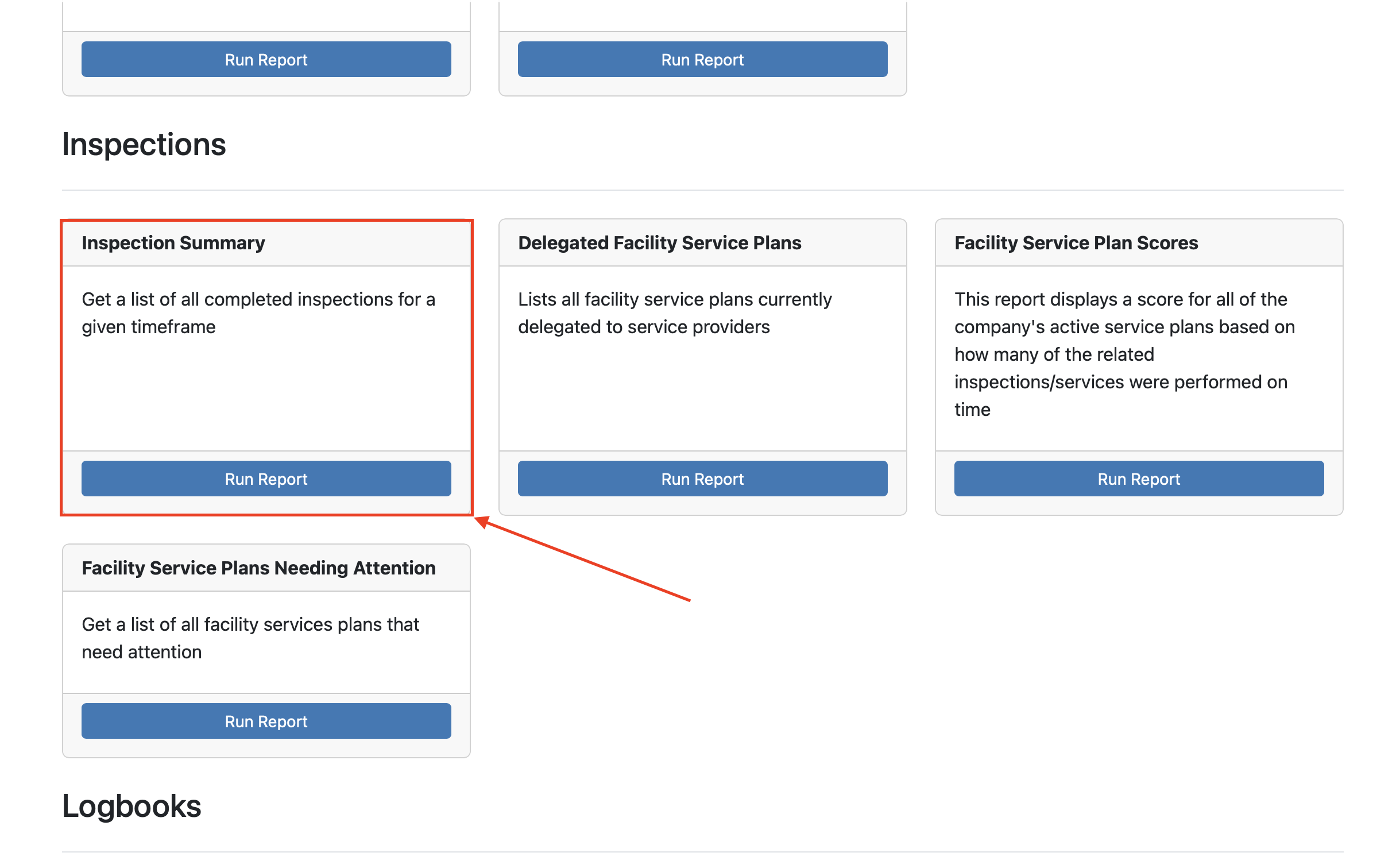
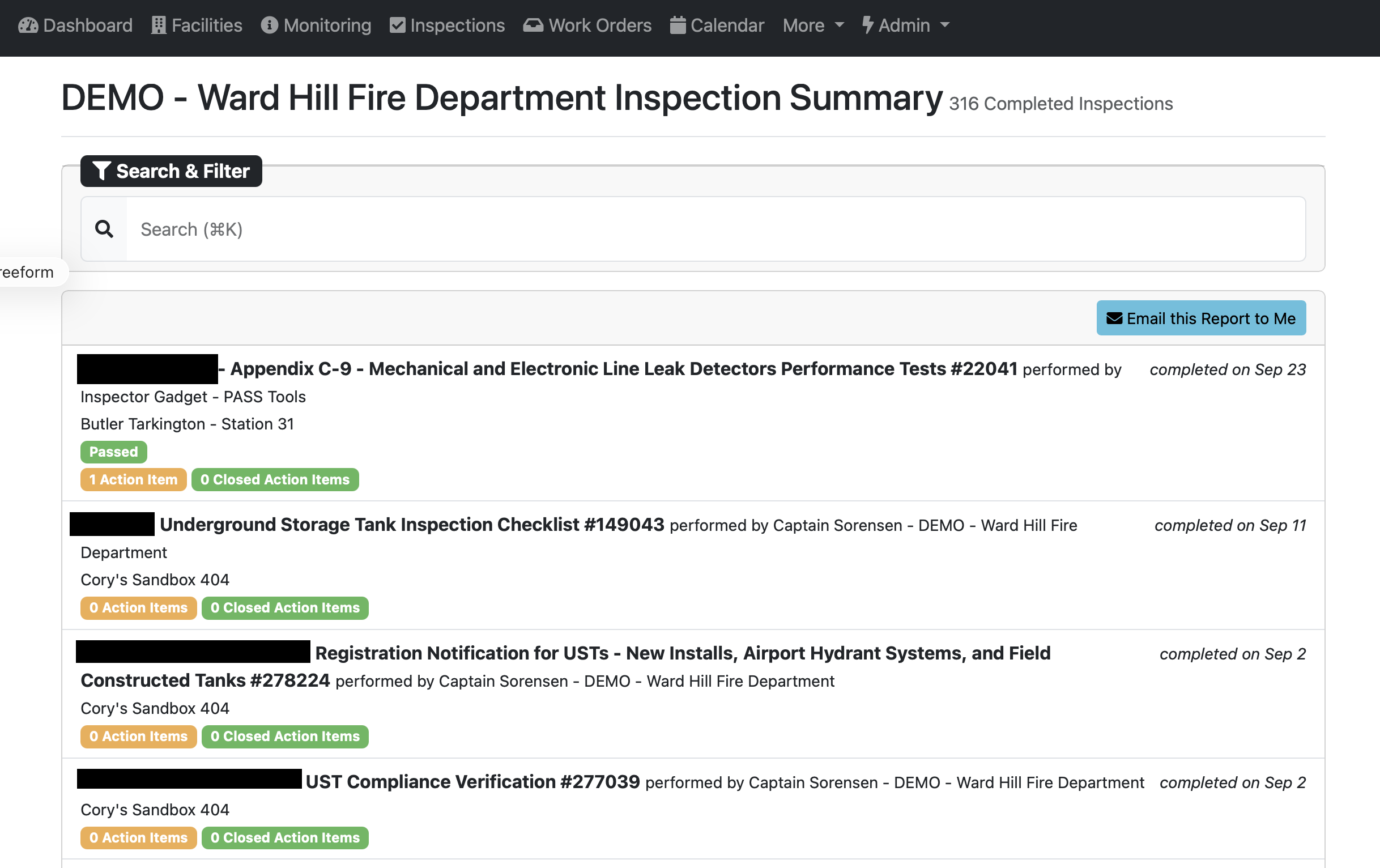
Inspection Summary: The Inspection Summary report provides a complete list of inspections completed across your facilities, including completion dates and any related action items. It helps you quickly review inspection history, confirm compliance activity, and access individual inspection records when needed.
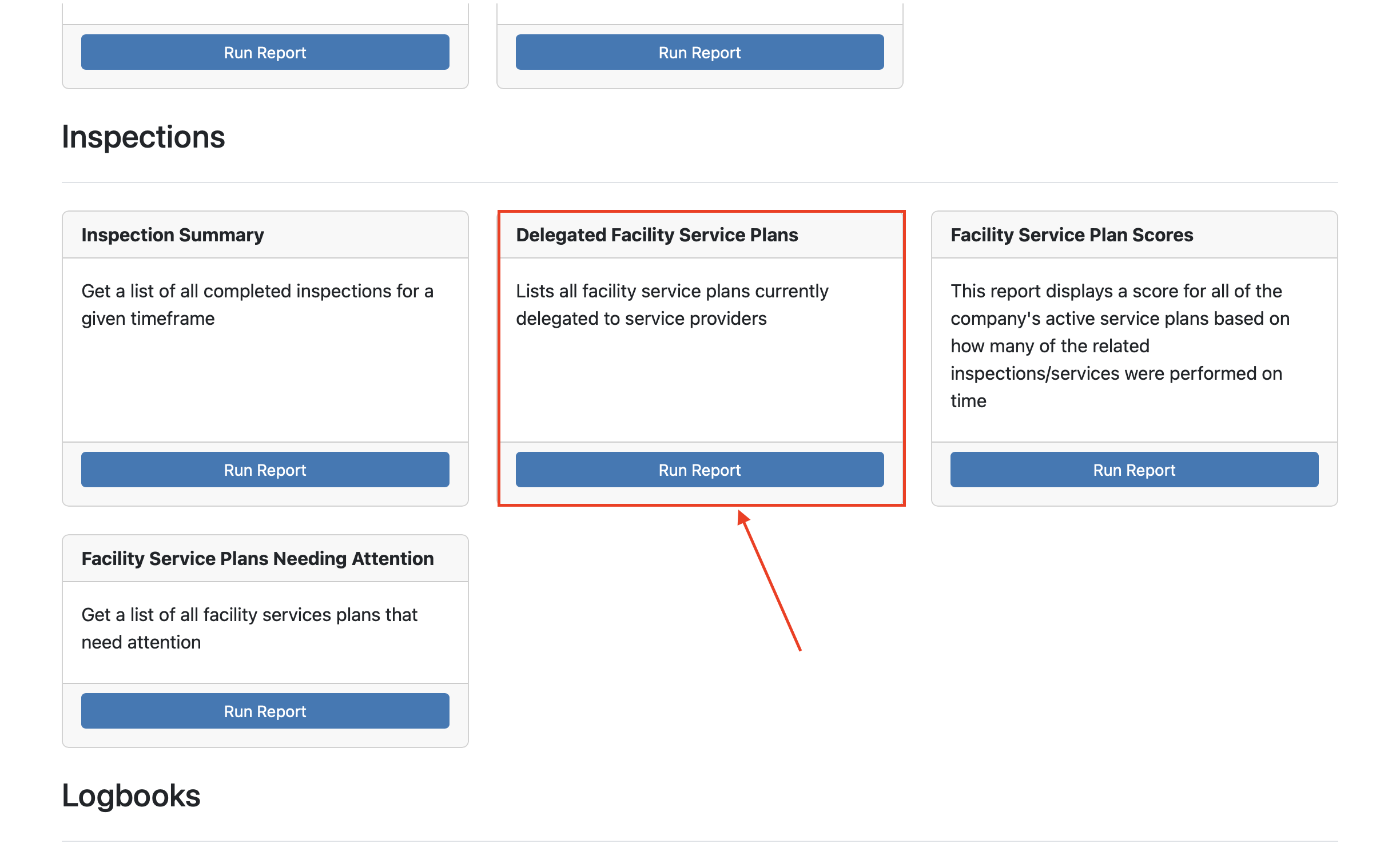
Delegated Facility Service Plans: The Delegated Facility Service Plans report shows which facilities have service plans managed by an external service provider. It helps you quickly review delegated responsibilities, filter by service provider or region, and confirm who is responsible for inspections or services at each location.
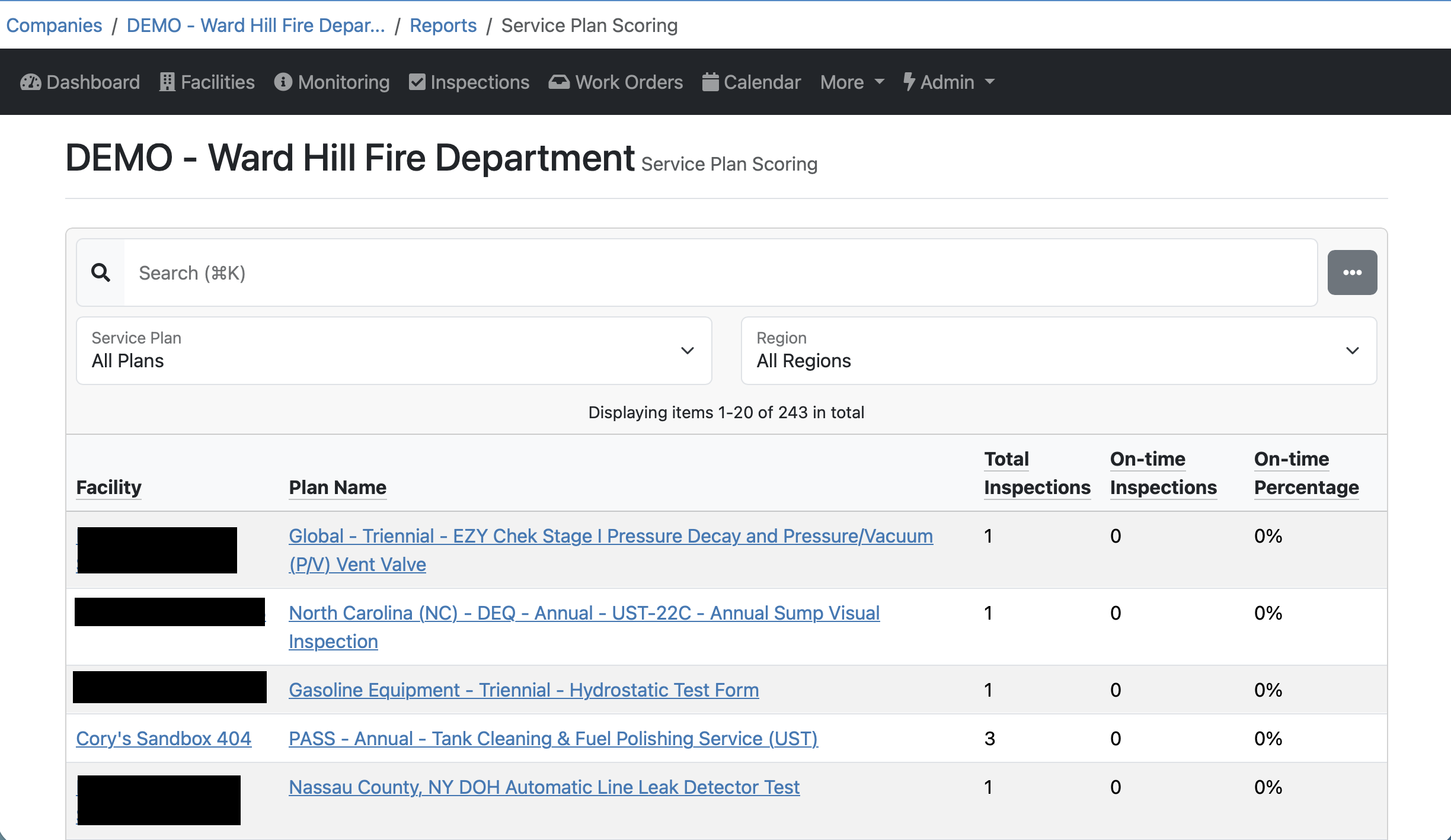
Facility Service Plan Scores: The Service Plan Scoring report shows how well inspections tied to each service plan are being completed on time at your facilities. It helps you quickly see completion performance by plan and location so you can identify gaps and improve follow-through.
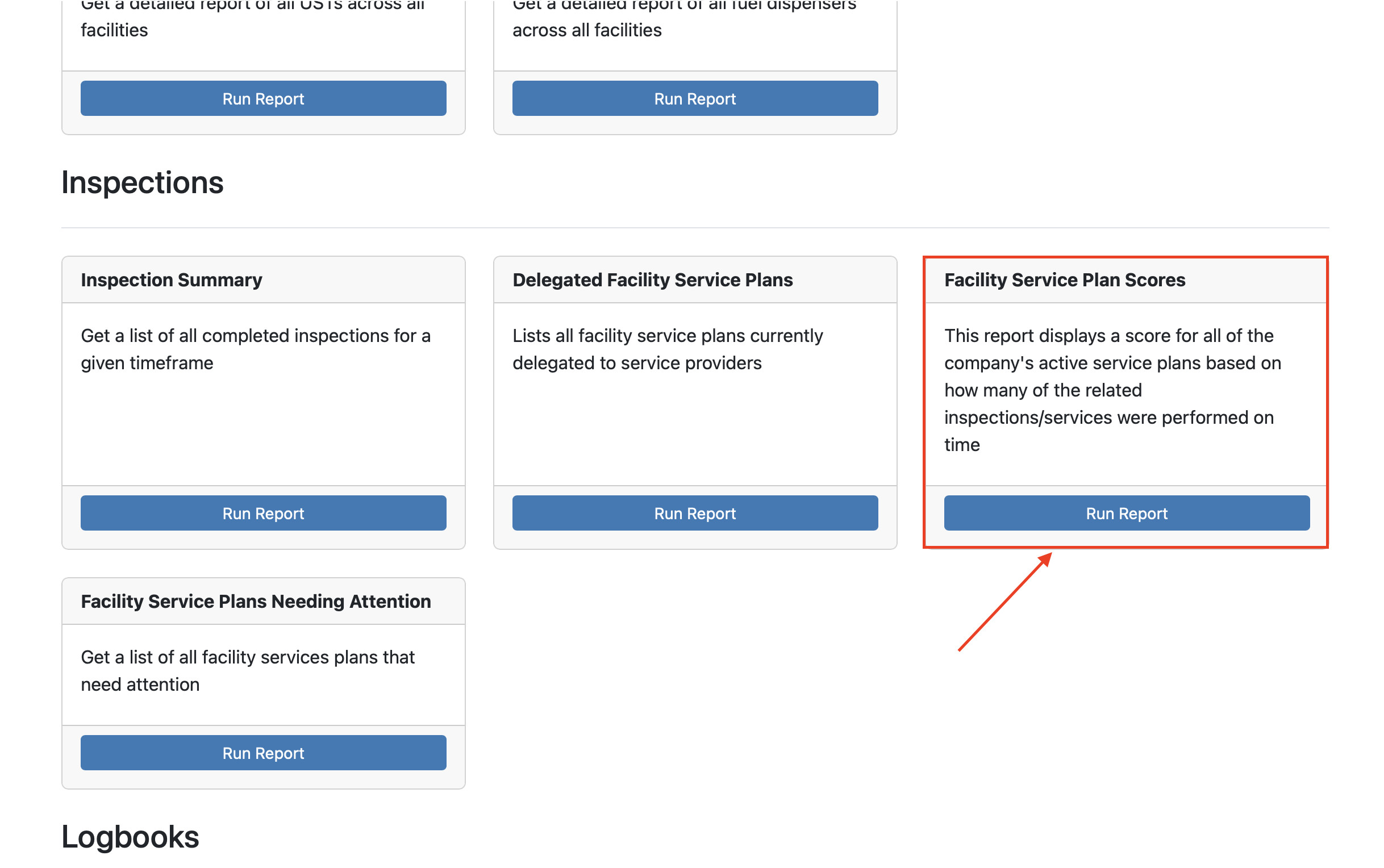
The report displays results by Facility, Plan Name, Total Inspections, On-Time Inspections, and On-Time Percentage.
Facility Service Plans Needing Attention:
You said:

ChatGPT said:
This Overdue Action Items report is essentially your “what’s falling through the cracks” view. Here’s what you can do with it, practically speaking:
1. Identify compliance and safety risks 🚨
- The list highlights issues that are past due, some going back years.
- Items marked High or Emergency Urgency should be your top priority (e.g., alarms not functioning, leaks).
- This is especially useful for regulatory compliance, audits, and inspections.
2. Assign responsibility
-
Many items are Unassigned.
You can:
- Filter by Assignee = Unassigned
- Select items and use Edit selected… to assign them to a user or vendor.
- This turns the report from “informational” into actionable.
3. Track maintenance & work order gaps
-
Some items have active work orders, others don’t.
Use this report to:
- Spot overdue items without a work order
- Follow up on stalled or forgotten work orders
- It’s a great cross-check between inspections and maintenance activity.
4. Prioritize by location or region
-
Filter by Region or scan by Station.
Helps answer questions like:
- “Which station is most behind?”
- “Where are we most exposed to risk?”
5. Support management and budgeting decisions 💰
- Long-running or repeated issues (e.g., sump debris, spill buckets) can justify:
- Capital repairs
- Equipment replacement
- Contracted maintenance
- This report gives you data-backed justification.
6. Export and share 📤
- Use Download CSV to:
- Share with leadership
- Send to vendors
- Analyze trends (aging, recurrence, urgency counts)
- Common use cases: monthly reviews, compliance packets, or audit prep.
7. Measure accountability over time
- Run this report regularly to see:
- Whether overdue counts are decreasing
- If assignments are being made promptly
- It’s a simple KPI for inspection follow-through.
In short:
This report helps you see risk, assign ownership, prioritize work, and prove follow-through.
If you want, I can help you:
- Turn this into a monthly review checklist
- Identify quick wins on this specific page
- Explain how customers typically use this in PASS Tools support conversations
You said:

ChatGPT said:
Here’s a short, customer-focused description you can use:
The Overdue Action Items report shows all unresolved inspection findings that are past due, helping you quickly identify compliance risks, assign responsibility, and prioritize repairs to keep your facilities safe and compliant.
Want it more plain-language, more compliance-focused, or more operations-focused?
You said:

ChatGPT said:
Here’s a more action-oriented, customer-focused version:
Use this report to review overdue inspection findings, assign or reassign responsibility, prioritize high-risk issues, follow up on stalled work orders, and export the list to share with vendors or leadership for faster resolution.
If you want it even shorter or less internal-sounding, I can tighten it further.
You said:

ChatGPT said:
Here’s a cleaner, more customer-friendly version that mentions filters:

Insert
Use this report to find overdue inspection issues, focus on the most urgent items, and take action quickly. Filter by urgency, assignee, or region to narrow the list, assign responsibility, and export results to share with your team or service providers.
Want it even simpler or more “plain English”? I can soften it further if needed.
You said:

ChatGPT said:
Here’s a more plain-English version that keeps it friendly and clear:

Insert
This report helps you see which inspection issues are overdue so you can take care of them. Use the filters to sort by urgency, who it’s assigned to, or location, then assign items, follow up on repairs, or download the list to share with your team or vendors.
Want it shorter, more conversational, or more action-driven?
You said:
ChatGPT said:
Here’s a short, plain-English description you can use for the Open Action Items report:

Insert
This report shows all open inspection issues that still need to be addressed. Use the filters to narrow the list by urgency, who the item is assigned to, or location, so you can focus on what needs attention, assign items, and keep work moving forward.
Want it even shorter or more conversational for in-app help text?
You said:

ChatGPT said:
Here’s a short, plain-English description for the Closed Action Items report:

Insert
This report shows inspection issues that have already been resolved. Use the filters to sort by urgency, who the item was assigned to, or location, and download the list to review completed work, confirm follow-up, or share records for audits and reporting.
Want it even simpler or more focused on audits/compliance?
You said:

ChatGPT said:
Here’s a short, plain-English description for the Facility Metadata report:

Insert
This report shows key facility details and contact information stored in your system. Use the filters to view specific metadata fields (such as emergency contacts or compliance details) and narrow results by region, making it easy to review, verify, or export facility information when needed.
Want it more compliance-focused or more operations-focused?
You said:

ChatGPT said:
Here’s a brief, customer-focused description you can use for the Equipment Inventory report:

Insert
This report shows all equipment tracked at your facilities, including tanks, dispensers, monitoring equipment, and safety devices. Use the filters to narrow the list by equipment type or region, search for specific items, and download the inventory to review assets, verify records, or share with your team or service providers.
Want it more high-level or more day-to-day operational? I can tweak the tone easily.
You said:

ChatGPT said:
Here’s a brief, customer-focused description for the Equipment Action Items report:

Insert
This report shows inspection issues tied to specific pieces of equipment, helping you see which assets need attention and where problems are occurring most often. Use the filters to narrow results by equipment type or region, search for specific equipment, and download the report to prioritize repairs and track follow-up.
Want it more maintenance-focused or more compliance-focused?
You said:

ChatGPT said:
On this page, there actually isn’t a graph displayed — what you’re seeing is a summary table.
Here’s what it’s showing in plain English:
-
Each row represents a specific piece of equipment at a facility
The columns show:
- Total Open Action Items → how many unresolved issues are currently open for that equipment
- Total Open Occurrences → how many times those open issues have been found
- Total Action Items → all issues ever recorded for that equipment
- Total Occurrences → total times those issues have occurred (open + closed)
So instead of a visual graph, this report gives you a count-based overview that helps you quickly spot:
- Equipment with the most ongoing problems
- Assets that may be high risk or frequently failing
- Where to focus maintenance or inspections first
If you’re referring to a graph on a different report or page, tell me which one and I’ll explain that specifically.
You said:

ChatGPT said:
Here’s a short, customer-focused description you can use:
This summary shows how many open and total inspection issues are tied to each piece of equipment, helping you quickly identify problem assets and prioritize maintenance and follow-up.
Want it even shorter or more action-oriented?
You said:

ChatGPT said:
Here’s a clear, customer-focused description of the UST Detail Report:

Insert
The UST Detail Report provides a detailed view of each underground storage tank at your facilities, including tank size, construction, installation dates, piping details, sumps, and spill buckets. Use the search bar to quickly find a specific facility or tank, and export the report to review records, support compliance needs, or share detailed tank information with inspectors or service providers.
Want this framed more for regulatory inspections or day-to-day record keeping?
You said:

ChatGPT said:
Here’s a brief, customer-focused two-sentence description:
This summary lists key details for each underground storage tank, including size, construction, and associated components. It helps you quickly review tank information across locations and access the details needed for compliance, inspections, or reporting.
You said:

ChatGPT said:
Here’s a brief, customer-focused description you can use for the Dispenser Detail report:

Insert
This report shows detailed information for each fuel dispenser at your facilities, including manufacturer, model, installation date, number of fueling points, and products dispensed. Use the search bar to quickly find a specific facility or dispenser, and download the report to review records, support inspections, or share details with service providers.
Want this phrased more for compliance reviews or day-to-day operations?
You said:

ChatGPT said:
Here’s a brief, customer-focused summary description:
This summary provides a quick overview of all fuel dispensers across your facilities, including key details like fueling points and products dispensed. It helps you quickly review dispenser information and access details needed for maintenance, inspections, or reporting.
You said:

ChatGPT said:
Here’s a brief, customer-focused description you can use:
The Inspection Summary report provides a complete list of inspections completed across your facilities, including completion dates and any related action items. It helps you quickly review inspection history, confirm compliance activity, and access individual inspection records when needed.
You said:

ChatGPT said:
Here’s a brief, customer-focused description you can use:
The Delegated Facility Service Plans report shows which facilities have service plans managed by an external service provider. It helps you quickly review delegated responsibilities, filter by service provider or region, and confirm who is responsible for inspections or services at each location.
You said:

ChatGPT said:
Here’s a brief, customer-focused description you can use:
The Service Plan Scoring report shows how well inspections tied to each service plan are being completed on time at your facilities. It helps you quickly see completion performance by plan and location so you can identify gaps and improve follow-through.
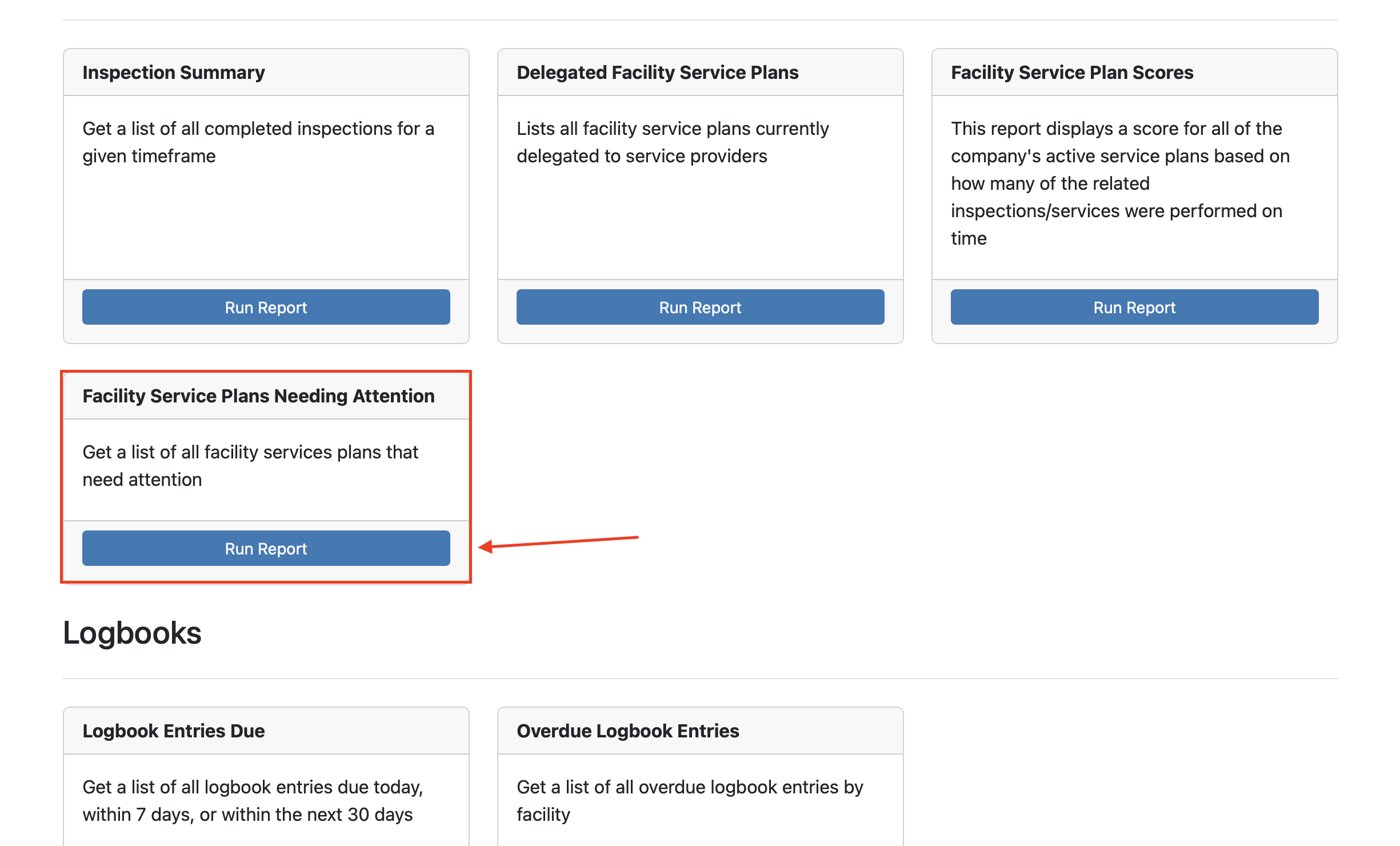
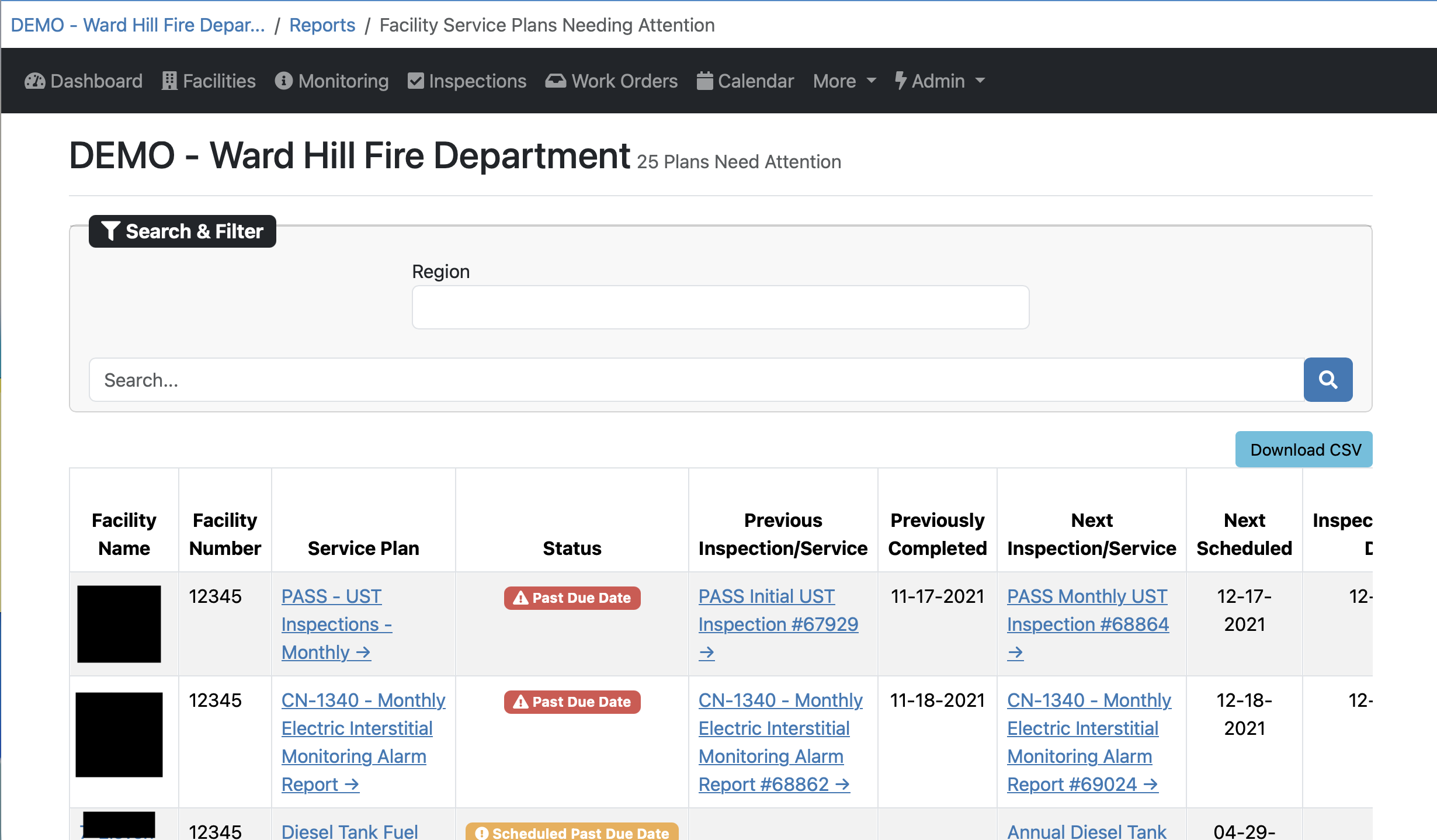
The Facility Service Plans Needing Attention report highlights service plans that are past due or require follow-up, helping you quickly identify inspections or services that may put a facility at risk of falling out of compliance. It gives you clear visibility into what needs action next so you can prioritize scheduling and stay on track.
This report provides details for each facility, including the facility name and number, service plan, status, previous and next inspection or service, whether the previous inspection was completed, and the scheduled and due dates.
If you have any questions, please contact PASS Testing Support at support@passtesting.com or our Support line at (765)281-5588 Monday through Friday, 8:30 a.m. to 4:30 p.m. EST.