
Register your Company - Company Admin
If you're new to PASS Opus and need to set up a new company, please follow these steps.
Step 1: Go to https://training.passtesting.com
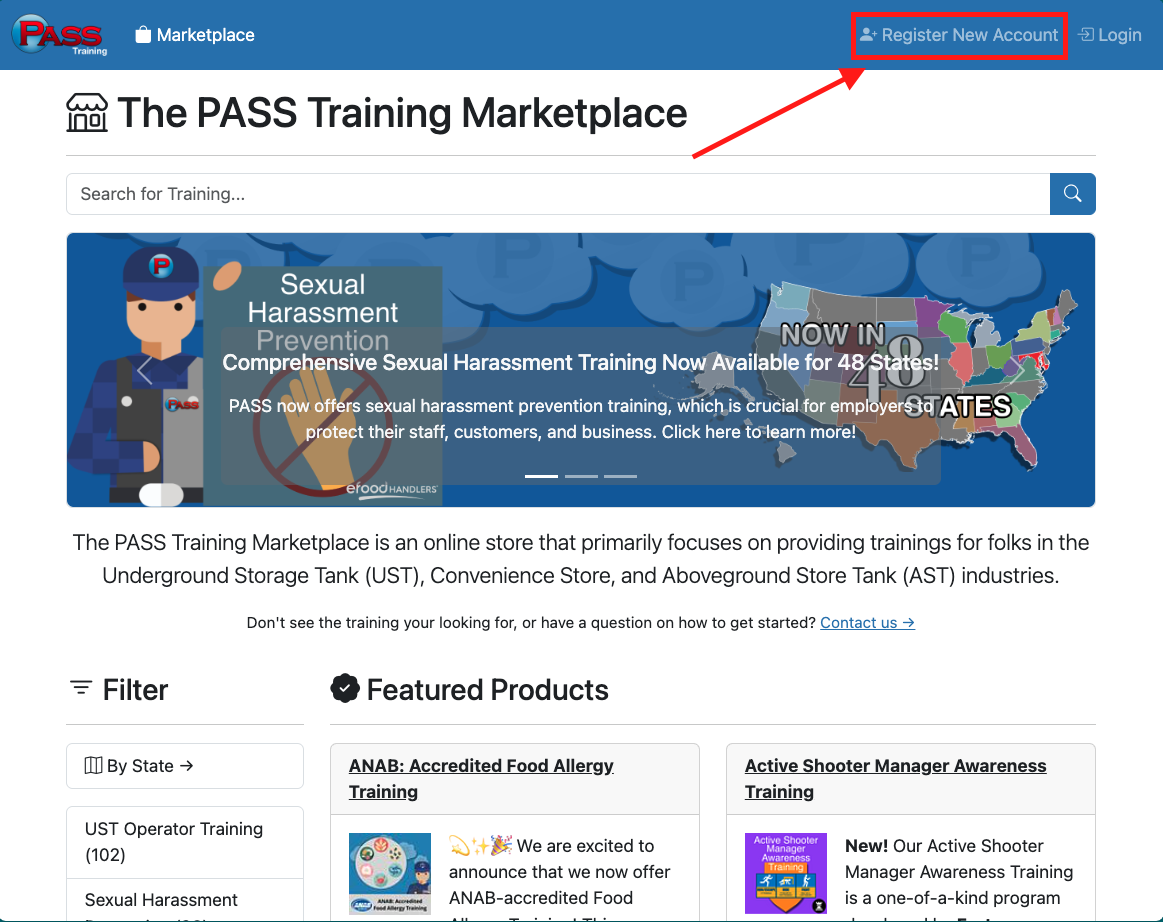
Step 2: Select the "Register New Account".
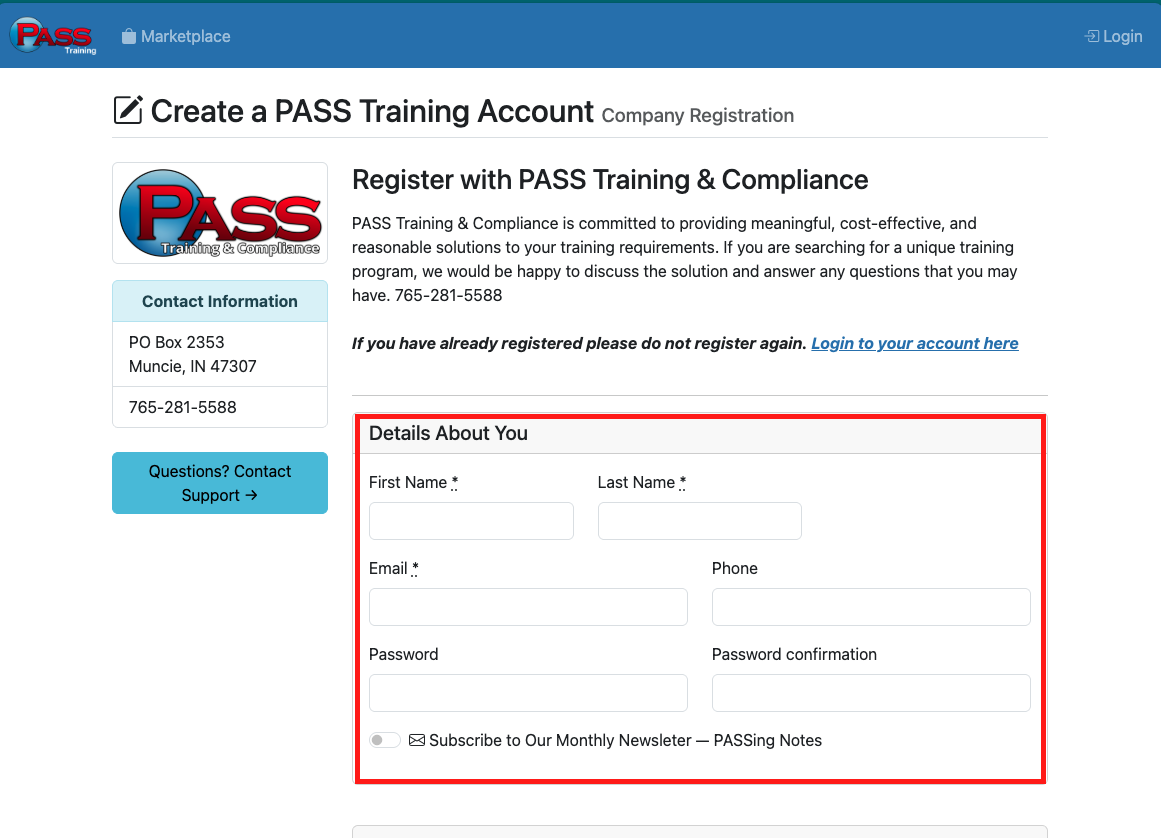
Step 3: Fill out the "Details About You" section.
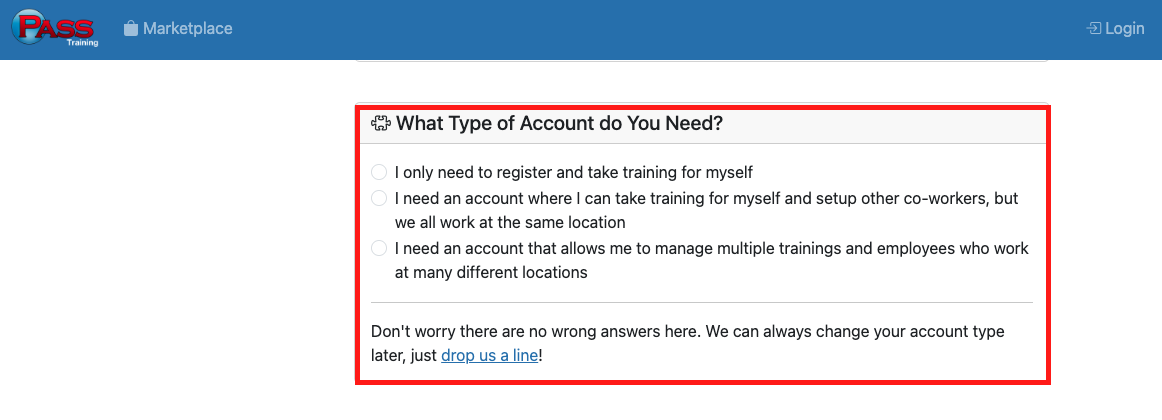
Step 4: Fill out the “What Type of Account do you Need section.
Step 5: Fill out the “Details About Your Business section, then click Register your account.
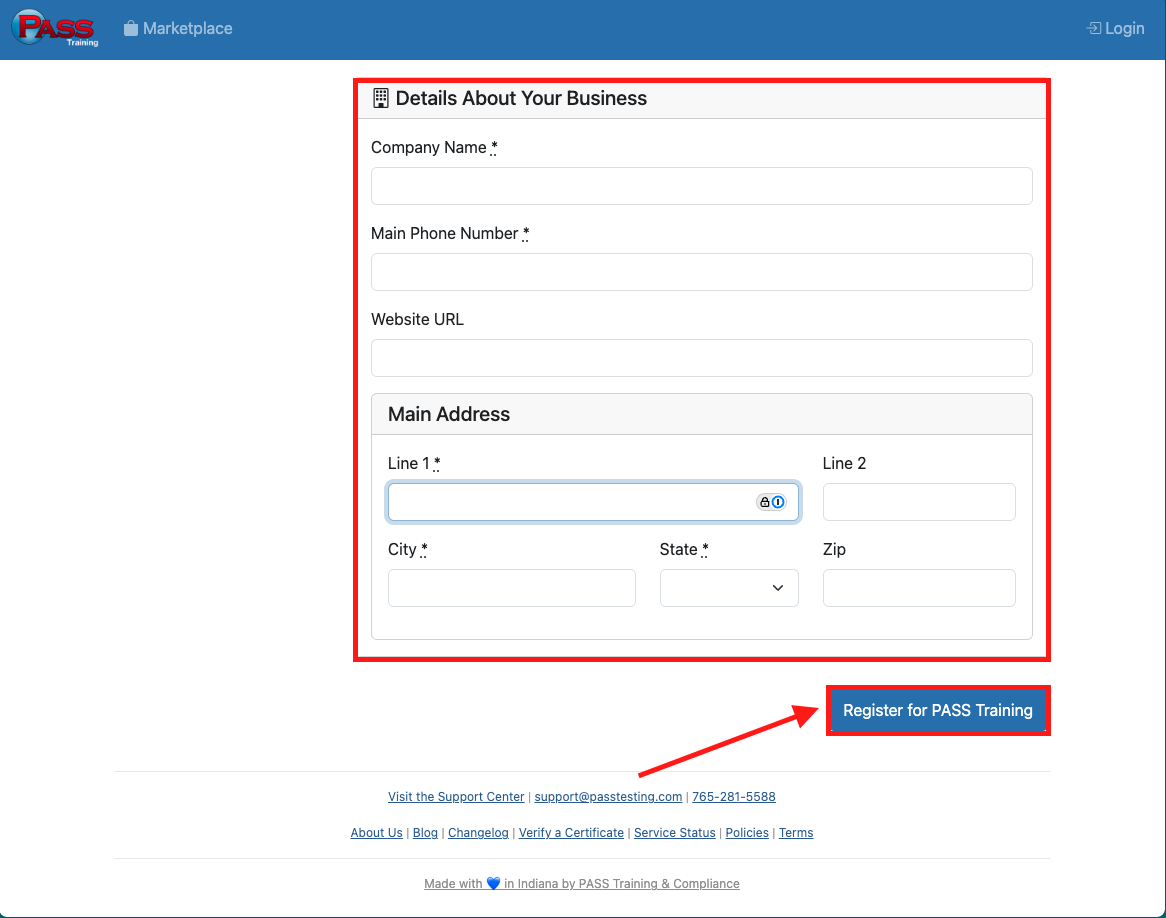
⚠️•I got an error message. Now, what do I do? The Password, Password Confirmation, and Email boxes will be cleared if you miss a box. You will need to reenter this information before proceeding.
If you have any questions, please contact PASS Testing Support at support@passtesting.com or our Support line at (765)281-5588 Monday through Friday, 8:30 a.m. to 4:30 p.m. EST.